
Outils pour utilisateurs
Panneau latéral
Ceci est une ancienne révision du document !
Table des matières
 Cette page n'est pas encore traduite entièrement. Merci de terminer la traduction
(supprimez ce paragraphe une fois la traduction terminée)
Utilisation de la navigation routée dans c:geo
BRouter est un moteur de calcul d’itinéraires intégré à c:geo. Il fournit des trajets guidés, calculés hors ligne, entre deux coordonnées à partir des données d’OpenStreetMap. Si la navigation est activée, c:geo peut l’utiliser pour remplacer la ligne droite habituelle affichée sur la carte entre votre position et la cible de navigation (c’est‑à‑dire une cache ou un waypoint) par un itinéraire routé, comme illustré dans la comparaison ci‑dessous.
| Navigation sans routage | Navigation avec routage |
|---|---|
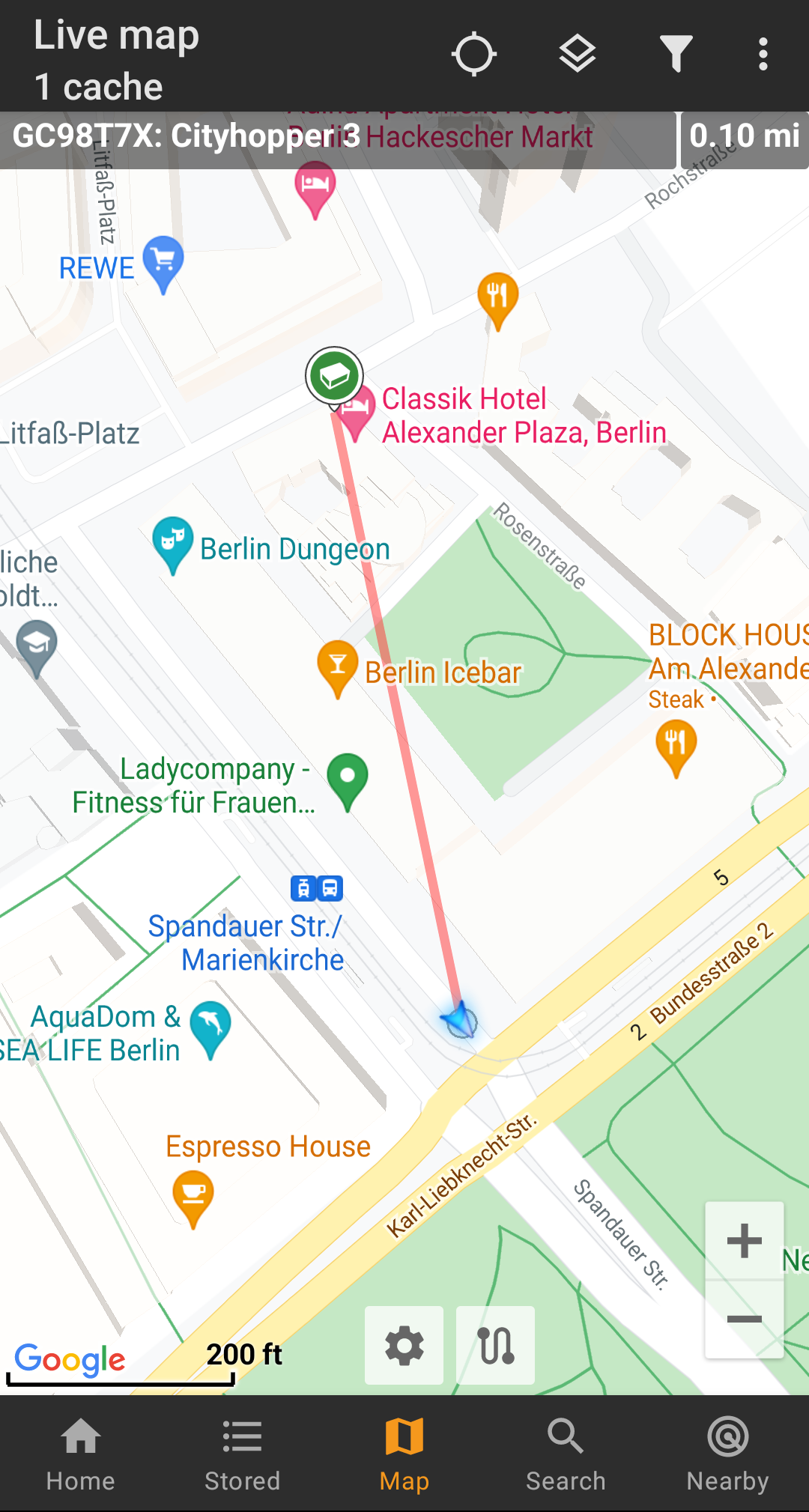 |  |
Le routage peut être configuré pour la marche, le vélo ou la voiture selon vos besoins, et vous aidera à trouver votre chemin jusqu’à la destination. Vous pouvez également utiliser ce routage pour créer des itinéraires personnalisés incluant plusieurs waypoints successifs afin de planifier votre sortie géocaching.
Activate routing
You can activate the internal routing function and define further settings (like storage folder for routing files, automatic download) in the c:geo routing/navigation settings
After routing is activated and automatic download is active the routing information for the desired geographical area will be automatically downloaded when invoking the routing function for the first time.
The routing data of BRouter might be several hundred megabyte in size.
Usage in c:geo
Once you activated the routing as described above, c:geo will use it automatically. There is no need for any configuration in c:geo, except that you might want to change the used routing mode (Bike, Walk, Car) according to your needs. You can do this in the map quick settings.
The internal BRouter engine will be used to calculate routes for mainly two functions as described briefly below. You can find a complete description of the map navigation lines and their functions in the live map description of this user guide.
Direction line
If you invoke navigation to a cache/waypoint using the map, the direction line between your position and the cache/waypoint will now use a routed line instead of a straight line.
The distance information on the top right will show the routed distance additionally to the straight line distance (if activated in c:geo settings).
Individual route
To make use of the individual route feature you need to enable the long tap function on the map in your map behavior settings.
Then you can simply long tap sequentially on different caches/waypoints on your map to connect them with a routed line one after another. This function e.g. allows planning of your caching trip as shown in the example below.
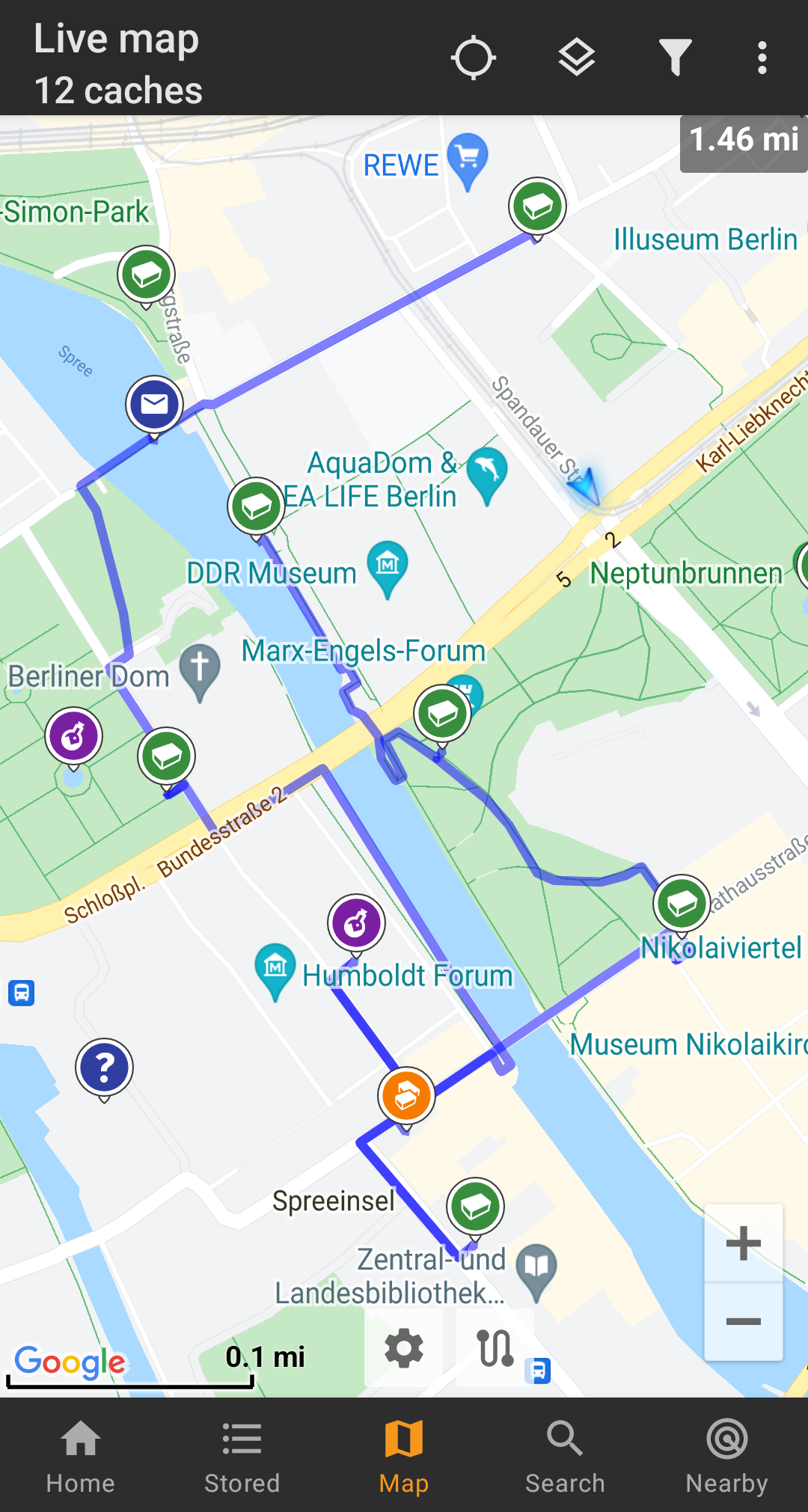
To remove one cache/waypoint from your route simply long tap it again. Furthermore you can use the sub menu Individual route on your map menu to sort, export, import or clear your individual route.
Customization
To minimize potential delays in usage of c:geo it will calculate routes up to a max. length of 10km by default. You can customize this limit between 0 an 999km in the c:geo map content settings. Furthermore you can customize the parameters (thickness, color and opaqueness) of the different lines shown on the map in the map line customization settings.


